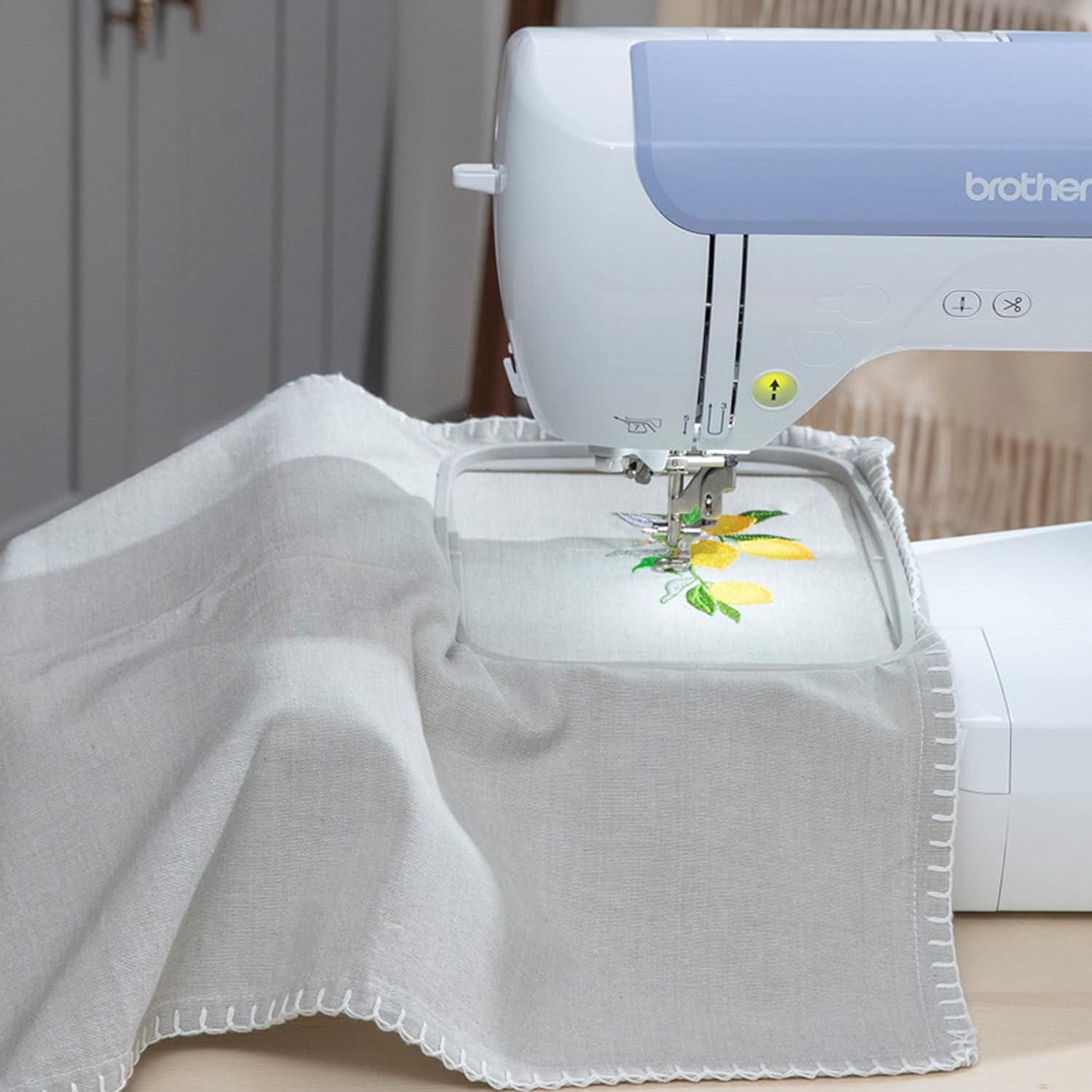
 You’ve seen those stunning custom embroidered items on Etsy selling for $40+ each. You’ve watched YouTube creators effortlessly personalize everything from baby onesies to leather jackets. Now you’re ready to start your own embroidery journey—but you’re facing a wall of confusing machine options and wondering if you’ll need years of practice to create professional-quality work.
Here’s the truth that most embroidery instructors won’t tell you: Your machine choice matters far less than mastering three specific techniques. Professional embroiderers estimate that 80% of your final quality comes from proper stabilization, precision hooping, and digital workflow—not from expensive equipment.
This means you can create commercially viable embroidery within months, not years, if you invest in the right starter machine and focus your practice on these high-impact skills.
Why Most Beginners Waste Money on the Wrong Machine
The biggest mistake new embroiderers make is buying a 4″x4″ machine because it’s affordable, only to realize within months that this tiny embroidery field restricts them to small patches and simple monograms. They can’t do standard left-chest shirt placements. They can’t create back-of-jacket designs. They can’t take on the custom work that actually makes money.
The result? They sell their starter machine at a loss and upgrade to a 5″x7″ machine, effectively paying twice for equipment they should have bought from day one.
The smart investment strategy: If you’re serious about developing professional skills or starting a side business, bypass the 4″x4″ machines entirely and invest directly in 5″x7″ capacity. You’ll save money long-term and avoid the frustration of outgrowing your equipment.
The Two Machine Categories You Need to Understand
Embroidery-Only Machines handle embroidery exclusively. They’re simpler, often less expensive, and ideal if you only want to add designs to existing items.
Combination Machines offer both full sewing functionality and embroidery capability. They’re perfect if you plan to construct items (like tote bags or garments) before embellishing them, giving you maximum versatility without needing two separate machines.
Essential Features That Actually Matter
Hoop Size: Your Most Important Specification
The maximum embroidery area determines what projects you can tackle:
- 4″ x 4″ field: Limited to small decorative items, tiny logos, simple monograms
- 5″ x 7″ field: Handles standard apparel customization, left-chest placements, larger patches, back designs
- 10″ x 6″ field: Accommodates large-format projects, full back designs, complex multi-color work
For aspiring professionals, 5″x7″ is the minimum viable size.
Connectivity: Your Creative Freedom
Every quality beginner machine needs USB connectivity for importing custom designs. Your built-in design library will always be limited—professional variety requires downloading designs from marketplaces like Etsy or creating your own.
Newer models add WLAN connectivity and mobile app integration, allowing wireless design transfer directly from your smartphone.
Automatic Jump Stitch Trimming: The Professional Time-Saver
Jump stitches are the small thread segments created when your machine moves between design sections. For clean, professional results, every single jump stitch must be manually trimmed with precision scissors—a tedious process that can add hours to production work.
Machines with automatic jump stitch trimming handle the top thread automatically, cutting your finishing time dramatically. For anyone planning to create dozens of items, this feature quickly justifies its cost through pure time savings.
Best Embroidery Machines for Beginners
Budget Entry Point: 4″ x 4″ Field Machines
These machines work well for initial practice, small gifts, and hobby projects, but their limited size will eventually feel restrictive if you develop serious ambitions.
Brother PE535 ($350-$450)
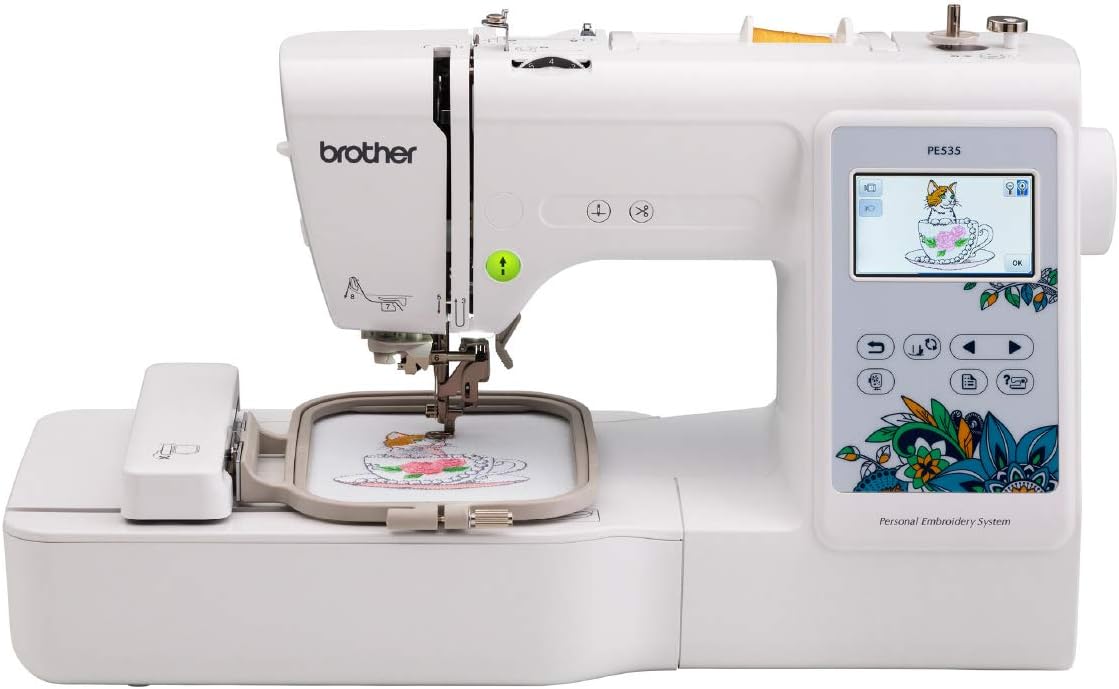
Brother PE535 Embroidery Machine [click to view…]
The PE535 is the most popular entry-level embroidery machine globally for good reason.
What you get:
- 4″ x 4″ embroidery field
- 80 built-in designs
- USB port for custom designs
- Embroidery-only (no sewing functions)
- 1,600+ Amazon reviews averaging 4.4 stars
Who this fits: Complete beginners testing the waters, gift-givers creating small personalized items, crafters with no business intentions.
The limitation: That 4″x4″ hoop becomes frustrating quickly once your skills improve. Most PE535 owners upgrade within a year.
Brother SE600 ($450-$550)
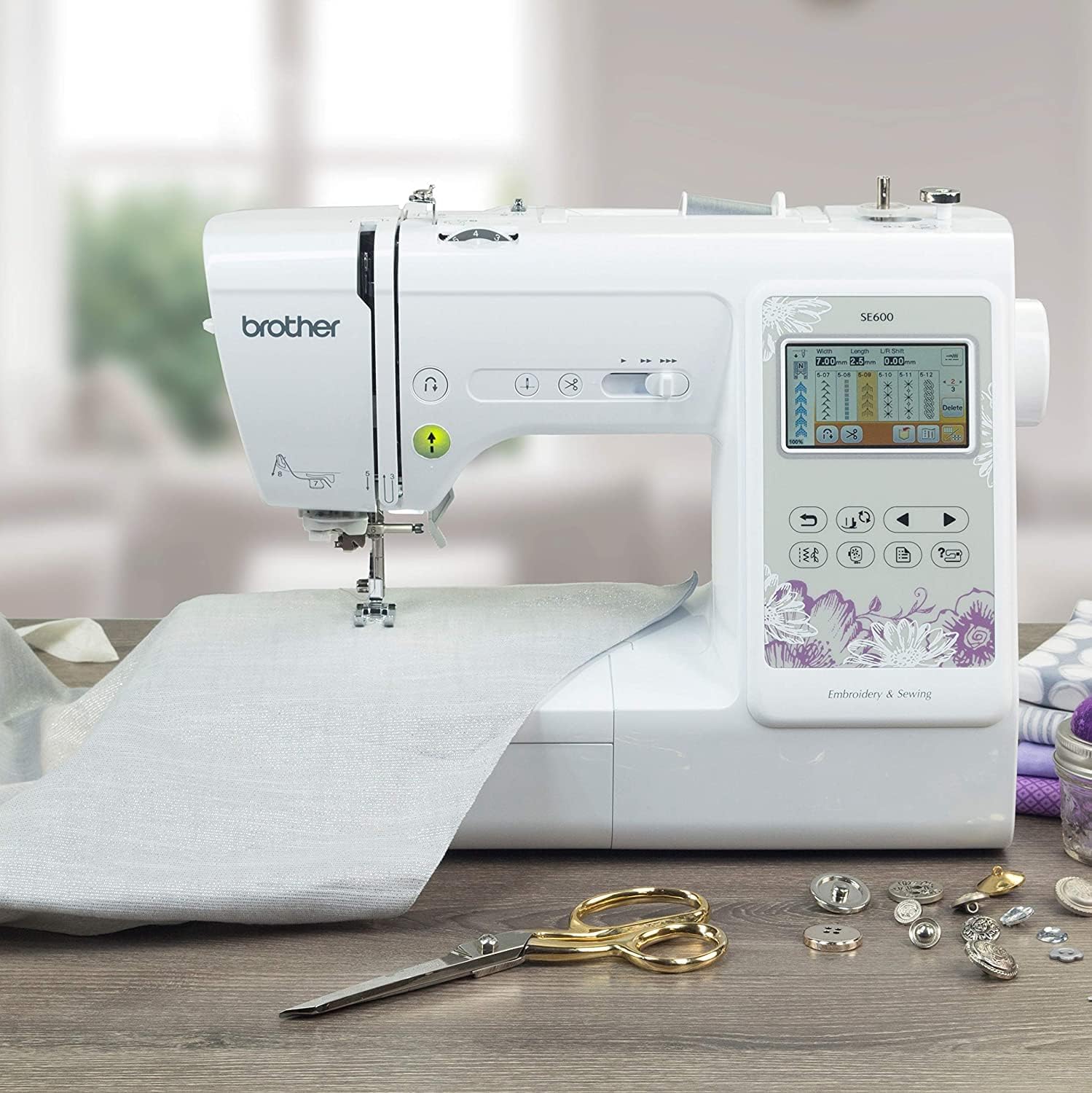
Brother SE600 [click to view…]
The SE600 delivers exceptional value by combining embroidery with full sewing functionality.
What you get:
- 4″ x 4″ embroidery field
- 80 embroidery designs
- 103 built-in sewing stitches
- 10 styles of one-step buttonholes
- Color LCD touchscreen
- Larger workspace (6.4″ wide x 4.1″ high needle-to-arm)
Who this fits: Budget-conscious crafters who need both sewing and embroidery, makers who construct finished goods before embellishing them.
Why choose this over PE535: The dual functionality makes this superior value if you do any fabric sewing. You get a complete crafting station for just $100 more than the embroidery-only PE535.
Serious Beginner Investment: 5″ x 7″ Field Machines
These machines represent the minimum investment for scalable embroidery work. The 5″x7″ field enables standard apparel customization and supports small business operations.
Brother PE900 ($950-$1,100)
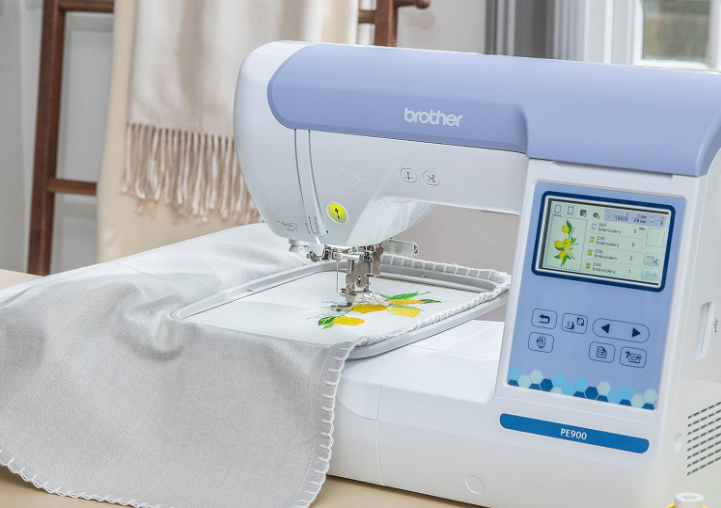
Brother PE900 Embroidery Machine [click to view…]
The PE900 is the PE800’s modern successor, adding workflow efficiency features that serious producers will appreciate immediately.
What you get:
- 5″ x 7″ embroidery field
- 193 built-in designs
- 11 fonts
- WLAN wireless connectivity
- Brother Artspira app compatibility
- Automatic jump stitch trimming
- Color sort feature (optimizes stitching efficiency)
Who this fits: Business-focused beginners who value time efficiency, high-volume producers, tech-savvy crafters who want modern connectivity.
Why pay the premium: That automatic jump stitch trimming alone saves hours on production work. If you plan to create dozens of items, the time savings justify the $150-200 price difference over the PE800 within your first few months.
Wireless connectivity streamlines your workflow significantly—no more hunting for USB drives or walking back and forth to your computer.
Brother SE1900 (~$1,000)
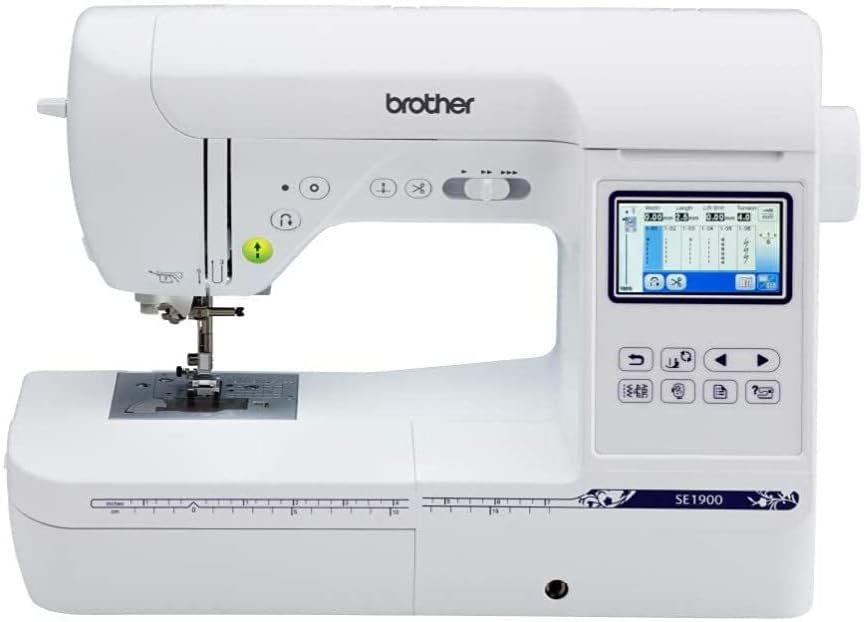
Brother SE1900 Sewing and Embroidery Machine [click to view…]
The SE1900 combines 5″x7″ embroidery capacity with high-end sewing functionality.
What you get:
- 5″ x 7″ embroidery field
- 240 built-in sewing stitches
- 138 embroidery designs
- Full combination machine capabilities
Who this fits: Small business owners who create finished products from scratch, crafters who need professional-grade sewing plus embroidery.
When to choose this: If your business model involves constructing bags, garments, or home goods before embroidering them, this combination machine eliminates the need for separate equipment.
Singer Legacy SE300 (Price varies widely)
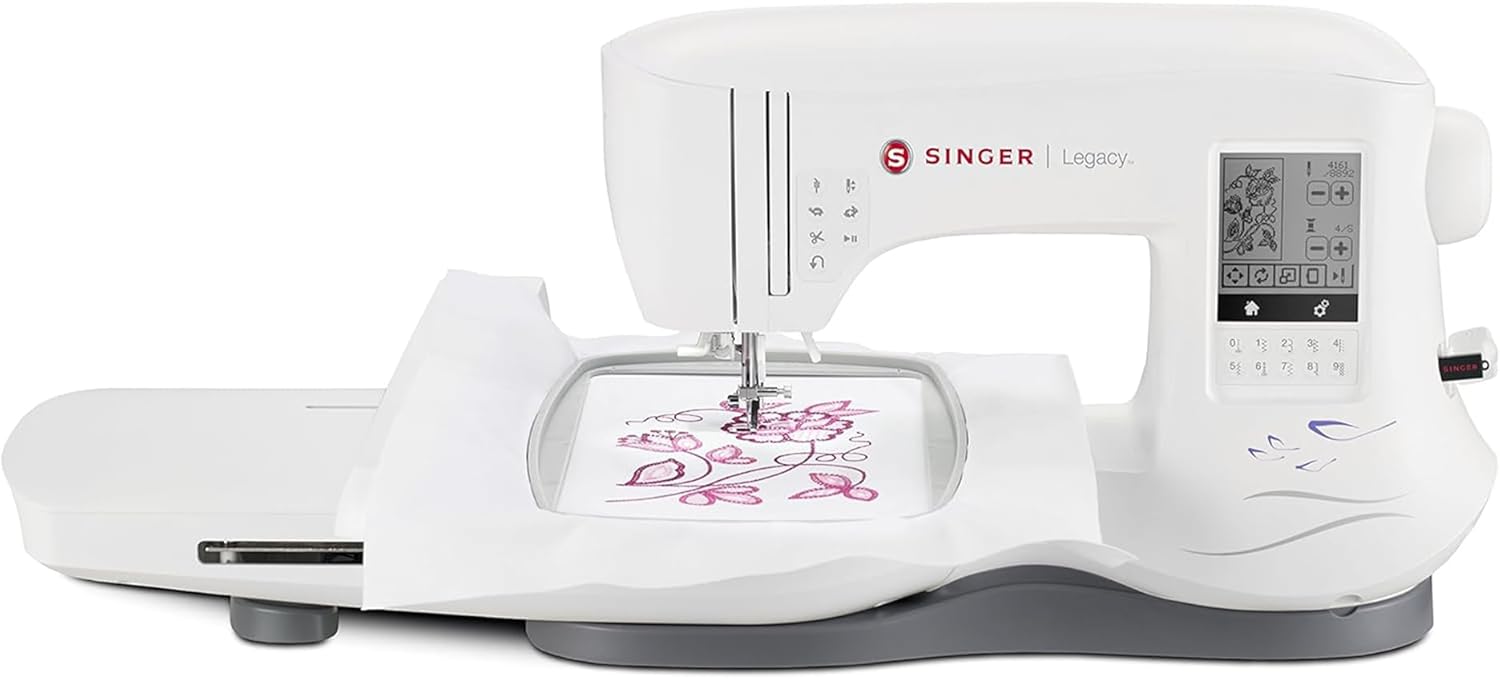
SINGER Legacy SE300
The SE300 takes a different approach by offering maximum embroidery area in a combination machine.
What you get:
- 10.24″ x 6.3″ embroidery field (massive)
- 200 embroidery designs
- 6 fonts
- 250 sewing stitches
- Design elongation and mirror-imaging
Who this fits: Advanced beginners ready to tackle large-format projects immediately, crafters who need to embroider jacket backs or full-size quilts.
The consideration: This larger, more feature-rich machine typically carries a steeper learning curve than Brother’s beginner-focused models.
Quick Comparison: Choose Your Machine
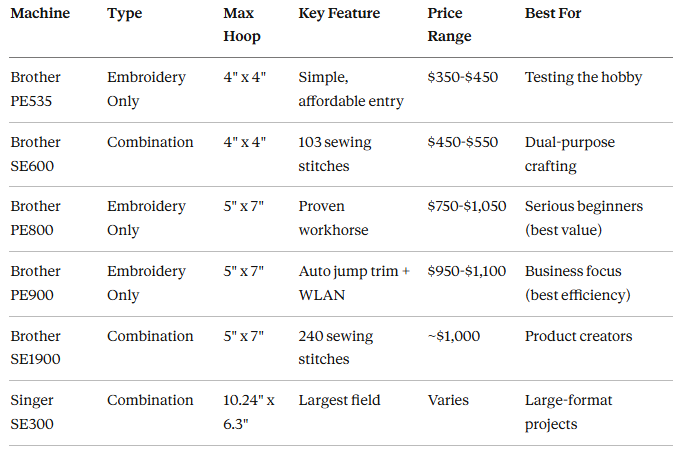
The Mastery Triad: Your Fast-Track to Professional Quality
Here’s what separates amateur embroidery from professional work: flawless foundation preparation. Your machine simply executes instructions. The quality of your finished piece depends almost entirely on three preparatory skills that have nothing to do with the machine’s price tag.
Master these three pillars and you’ll create professional-quality embroidery within months, not years.
Pillar 1: Stabilization Science (The Foundation Everything Depends On)
Machine embroidery involves high-density stitching at high speeds, which naturally pulls and distorts fabric. Professional embroiderers cite stabilization as both the absolute foundation of quality work and the most challenging aspect for beginners to master.
The core principle: Match your stabilizer type and weight to perfectly counteract the forces your machine applies to your fabric. Get this wrong and you’ll see puckering, tunneling, or distorted designs—the hallmarks of amateur work.
The Three Essential Stabilizer Types
Cut Away Stabilizers (Permanent Support)
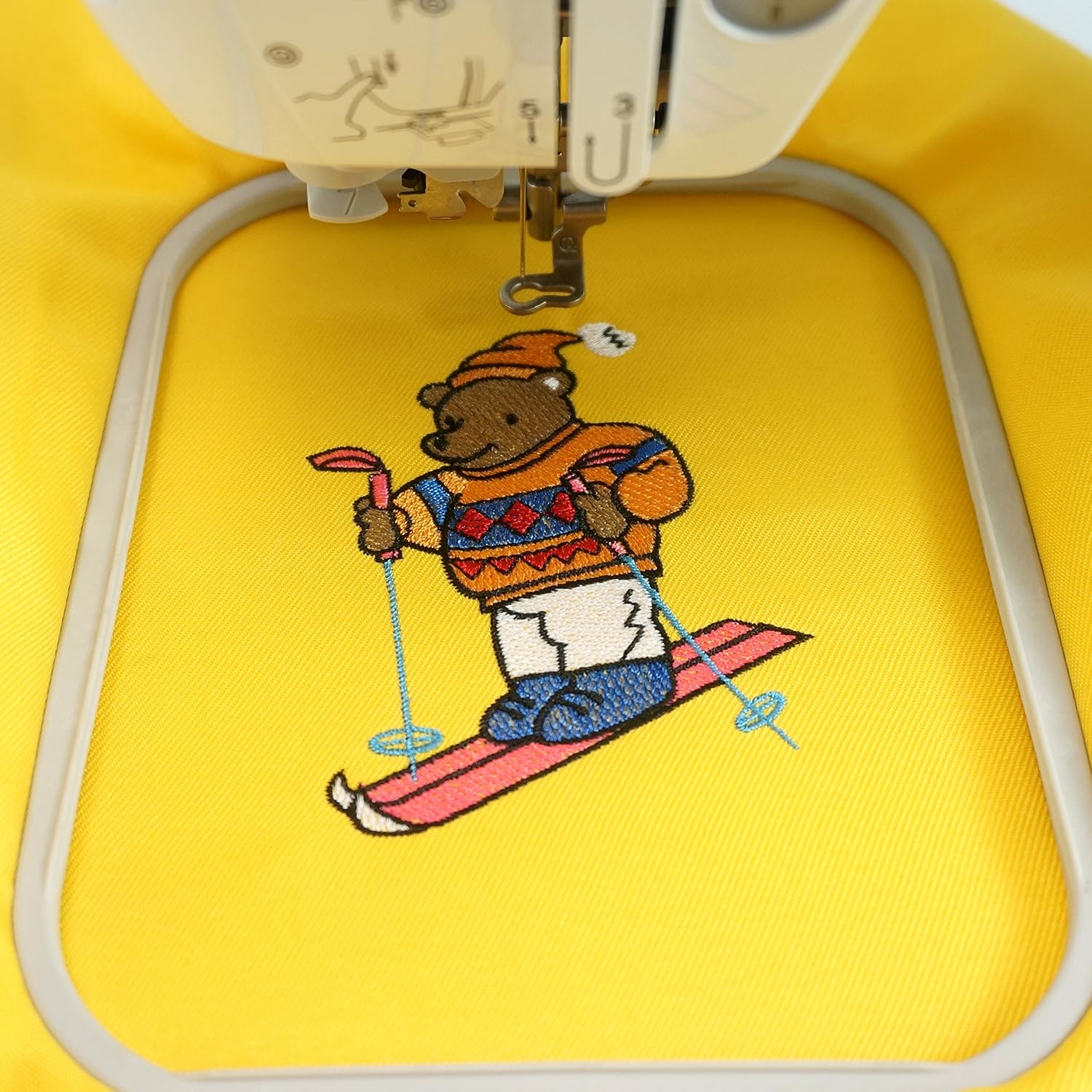
New Brothread Cut Away Machine Embroidery Stabilizer [click to view…]
These stay in your project forever, providing permanent structural support.
- When to use: Any stretchy fabric (T-shirts, knitwear, sweatshirts, fleece)
- Why permanent matters: Prevents your design from distorting when the garment is washed and worn
- Pro tip: Fusible No-Show Polymesh adds stability without bulk
Tear Away Stabilizers (Temporary Support)
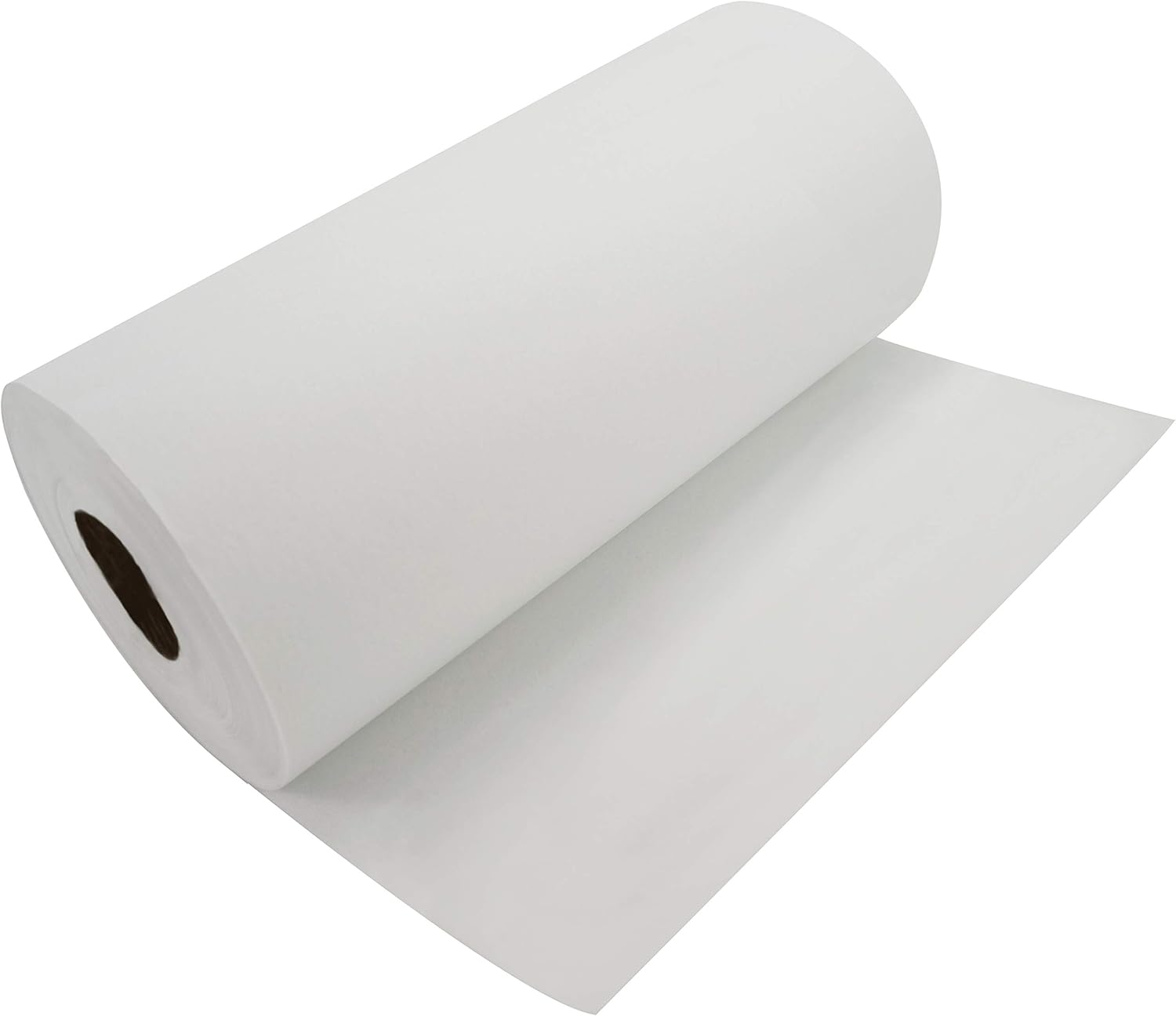
Tear Away Machine Embroidery Stabilizer [click to view…]
These provide support during stitching but tear away cleanly afterward.
- When to use: Stable woven fabrics (canvas, denim, vinyl, leather, structured cotton)
- Why tear away works: These fabrics don’t stretch, so they don’t need permanent support
- Pro tip: Water-activated tacky varieties grip slippery fabrics
Wash Away Stabilizers (Dissolvable Support)
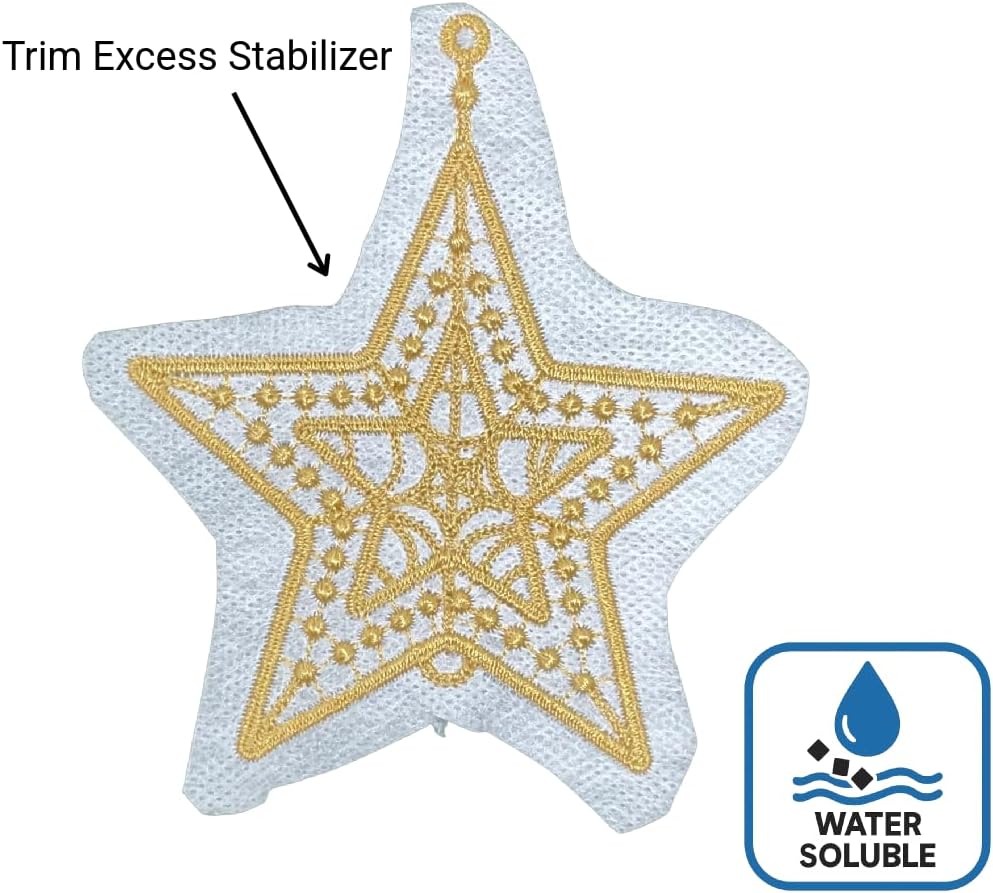
Wash Away Water Soluble Stabilizer [click to view…]
These dissolve completely when rinsed with water.
- When to use: Sheer fabrics (organza), textured materials (towels), freestanding lace, cutwork
- Why dissolvable matters: No visible stabilizer shadow on sheer fabrics; prevents stitches from sinking into towel nap
- Pro tip: Film toppers work great for preventing thread from disappearing into textured surfaces
Matching Weight to Your Project
Beyond type, you need to match stabilizer weight to your fabric thickness and design density:
- Light designs on thin fabric: Light-weight tear away
- Heavy designs or thick fabric: Heavy-weight stabilizer
- High stitch count designs: Multiple layers of stabilizer
Quick reference guide:
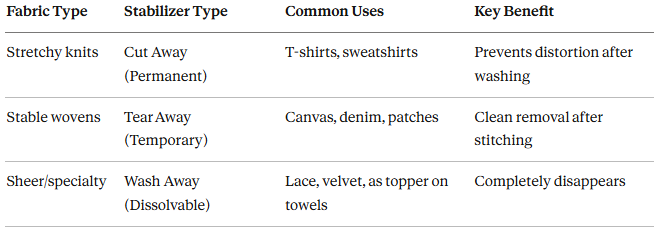
Pillar 2: Precision Hooping and Placement
Professional aesthetic quality depends entirely on securing your material properly and placing your design exactly where intended.
Standard Hooping for Distortion-Free Results
The critical rule: Your fabric and stabilizer must function as a single unit.
Achieve this by:
- Using fusible stabilizers (heat-set to fabric)
- Applying temporary spray adhesive to bond layers
Tension balance: Keep fabric taut and smooth, but never stretched. Excessive tension causes thread breaks and severe puckering once you release the hoop.
The Floating Method (For Difficult Materials)
Some materials can’t be hooped traditionally—finished bags, thick leather, bulky seams, or rigid items.
The professional solution: Float the item instead of hooping it.
How floating works:
- Hoop only your stabilizer (use sticky/self-adhesive type)
- Lay your garment smoothly on top
- Secure temporarily with pins or adhesive spray
This technique allows you to embroider corners of napkins, thick multi-layered items, or anywhere traditional hooping would damage or distort the material.
Design Placement Mastery
Accurate placement defines whether your work looks professional or amateur.
Pre-hooping marking:
- Use disappearing ink pen to mark the exact center of your desired embroidery area
- Draw horizontal and vertical guide lines
- Measure carefully from edges (like measuring down half the design height from the top edge)
Machine alignment features:
- “Motif Center” function: Aligns machine needle center to your marked fabric center
- “2-Point Placement” or “Pinpoint Placement” (premium machines): Rotates and fine-tunes alignment even if hooping was slightly crooked
These features save project time by eliminating repeated re-hooping.
Pillar 3: Digital Workflow and Software Mastery
Built-in designs are limiting. Professional variety and personalization require importing and editing external designs.
Here’s the progression that takes you from beginner to professional-level digital capability:
Stage 1: Free Professional Gateway (Embrilliance Express)
What it costs: Free
What you get: Professional lettering capability using .BX installed fonts
Why this matters: Instead of manually placing letters one at a time (painfully slow), .BX fonts map directly to your keyboard. You simply type names, phrases, and monograms, position them on screen, and save in your machine’s native format (.PES for Brother machines).
This single free tool instantly improves your personalization capabilities to professional speed.
Where to start: Download Embrilliance Express, then purchase quality .BX font collections from designers on Etsy or embroidery marketplaces.
Stage 2: First Paid Upgrade (Embrilliance Essentials)
What it costs: One-time purchase (typically $150-200)
What you get: Two critical professional features
1. Sizing with automatic stitch recalculation
- Resize designs up to 250% while maintaining quality
- Software automatically adjusts stitch density and underlay
- Prevents the degraded quality that comes from simple stretching/shrinking
2. Color management and applique tools
- One-click color conversion to match your specific thread brands
- Simplified applique cut file creation
- Integration with cutting machines (like Brother ScanNCut)
When to upgrade: After 3-6 months, once you’re comfortable with basic operation and need to customize design sizes for specific projects.
Stage 3: Mobile Workflow (Brother Artspira)
What it costs: Free app (for compatible Brother machines)
What you get:
- Basic design drawing (pen and shape tools)
- Design editing from built-in library
- Augmented reality placement preview (overlays design on hooped fabric via camera)
- Wireless design transfer to WLAN-enabled machines
The limitation: Artspira excels at quick line art and mobile creativity but lacks the advanced editing, complex color management, and precise sizing tools found in desktop software like Embrilliance.
Best use case: Quick monograms and simple designs while away from your computer.
Essential Starter Toolkit: Beyond the Machine
Your machine is only part of the investment. Professional results require quality consumables and precision tools.
Critical Consumables
Thread
- Top thread: 40-weight polyester or rayon (standard for embroidery)
- Bobbin thread: 90-weight specialty bobbin thread (lighter weight ensures proper tension balance)
- Pro tip: Pre-wound bobbins (Class 15 for Brother machines) provide consistent tension and minimize interruptions
Stabilizer Starter Kit Buy a sampler pack that includes:
- Cut away varieties (including fusible no-show polymesh)
- Tear away options (standard and water-activated tacky)
- Wash away film and mesh
Budget $30-50 for a comprehensive starter stabilizer collection.
Precision Finishing Tools
The difference between amateur and professional often happens in the finishing stage.
Jump Stitch Trimming Tools Even machines with automatic trimming need manual work on the bobbin side:
- Tweezer snips (small, sharp scissors for tight areas)
- Angled precision tweezers (hold taut jump threads for clean cutting)
- EZ Stitch Snips (specialized for quick, close cutting)
Adhesives
- Spray basting adhesive (temporary bonding for floating method)
- Fusible interface (fuse over the back of completed embroidery to cover scratchy threads—necessary for baby/children’s wear)
Needles Treat needles as consumables requiring regular replacement:
- Multi-pack of embroidery needles in various sizes
- Specialized needles for specific materials (like Janome Blue Tip)
- Replace based on thread weight and fabric thickness
Placement Aids
- Disappearing ink pen (mark guidelines without permanent traces)
- Perfect Placement Kit (aligns designs on common areas like shirt collars)
Budget $50-75 for a complete finishing toolkit.
Your 6-Month Fast-Track Plan to Professional Embroidery
Month 1: Foundation Investment
Hardware decision:
- Budget-conscious: Brother PE800 ($750-1,050) offers best value for professional capacity
- Efficiency-focused: Brother PE900 ($950-1,100) adds automatic jump trimming and wireless connectivity
Software foundation:
- Download Embrilliance Express (free)
- Purchase 2-3 quality .BX font collections ($10-20 each)
Initial consumables:
- Stabilizer sampler pack ($30-50)
- Basic thread collection and pre-wound bobbins ($40-60)
- Finishing tool kit ($50-75)
Total Month 1 investment: $920-1,355
Months 1-3: Consumables Mastery Phase
Focus exclusively on the Mastery Triad:
Week 1-2: Stabilizer experimentation
- Test each stabilizer type on different fabrics
- Document which combinations produce the cleanest results
- Practice identifying the “sweet spot” tension when hooping
Week 3-6: Hooping technique refinement
- Master standard hooping without distortion
- Learn the floating method for difficult materials
- Practice design placement with guide lines
Week 7-12: Digital workflow efficiency
- Create 20+ custom lettering projects using Embrilliance Express
- Build your personal library of go-to designs
- Develop fast workflows from design selection to file transfer
Success metric: By month 3, you should produce clean, professional-quality personalized items with zero puckering and perfect placement.
Month 6+: Software Expansion
Once you’re consistently producing quality work and need to resize designs:
- Upgrade to Embrilliance Essentials ($150-200)
- Learn proper resizing with stitch recalculation
- Master color management for efficient thread usage
Month 12: Business-Ready
At this point, you’ll have:
- 6+ months of consistent practice
- A portfolio of professional-quality finished pieces
- The technical skills to quote and complete custom work
- Understanding of your production time and material costs
You’re ready to take paid custom orders or launch an Etsy shop.
Final Investment Summary
Minimum viable investment for serious skill development:
- 5″x7″ machine: $750-1,100
- Essential consumables and tools: $170-260
- Free software (Embrilliance Express): $0
Total to start: $920-1,360
Optional upgrade within 6 months:
- Embrilliance Essentials: $150-200
What this gets you: The exact equipment and methodology to produce professional-quality embroidery that can generate $500-2,000+ per month in side income within your first year.
The Reality Check: Why Methodology Beats Machinery
The embroidery machine industry wants you to believe that better equipment automatically produces better results. That’s not how this works.
Professional quality comes from:
- 40%: Proper stabilization (matching type and weight to your specific fabric and design)
- 30%: Precision hooping and placement (eliminating distortion and ensuring perfect positioning)
- 20%: Efficient digital workflow (quick design customization and file management)
- 10%: Machine quality and features
You can create amateur work on a $2,000 machine by skipping proper stabilization. You can create professional work on an $800 machine by mastering the Mastery Triad.
The bottom line: Invest in a 5″x7″ machine from day one to avoid expensive upgrades. Then dedicate your first 3 months to deliberate practice of stabilization, hooping, and digital workflow. That combination compresses years of trial-and-error learning into months of focused skill development.
Your machine is just the execution tool. Your methodology determines whether you create professional-quality work or amateur crafts.
Dora Decora is a biophilic interior design specialist and passionate blogger. With a deep commitment to integrating nature into living spaces, Dora specializes in creating environments that foster human-nature connections through thoughtful design elements. Her approach emphasizes sustainable materials, natural lighting, and organic patterns that enhance wellbeing and reduce environmental impact.
This post (https://homechroma.com/best-embroidery-machine-for-beginners) was originally published by Dora Decora on Home Chroma. As an Amazon Associates partner, we are compensated for all qualifying purchases.