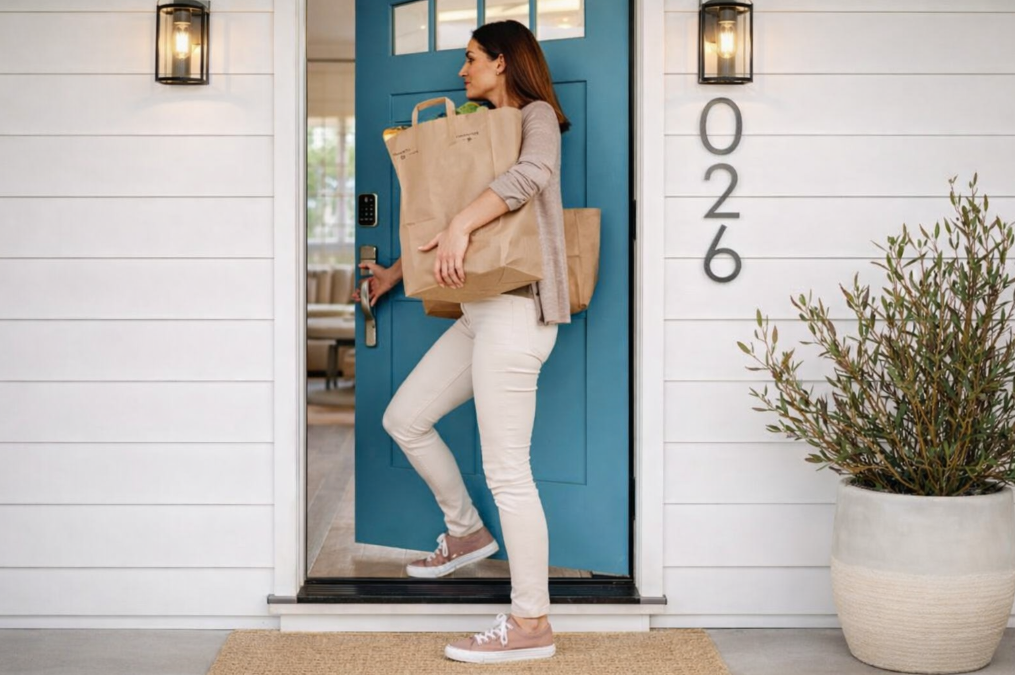
 We spent $2,000 on a professionally installed alarm system. Monthly monitoring fees ran $47. And after two years of paying for “protection,” we realized something unsettling.
The alarm never stopped anyone from getting in. It just told us after someone already had.
Then we installed a $47 smart lock on our front door. No monthly fees. No contract. And it did something our entire alarm system couldn’t — it actually kept the door locked.
Here’s what we learned about smart locks, why they outperform traditional alarm setups for most homeowners, and which models are worth your money right now.
Why a Smart Lock Beats a $2,000 Alarm System
Traditional alarm systems work on a “detect and dispatch” model. A sensor trips. A dispatcher calls. Police arrive — often 20 minutes later. By then, the intruder is gone.
A smart lock flips the script entirely. Instead of reacting after a break-in, it prevents entry in the first place.
Here’s the practical breakdown:
- Auto-locking eliminates human error. The number-one cause of residential burglaries? An unlocked door. A smart lock with an auto-lock timer secures the door 30 seconds after it closes — every single time. No alarm system can close a door for you.
- No hidden keys. Burglars actively search for spare keys under mats, inside fake rocks, and above door frames. A keypad or fingerprint scanner removes that vulnerability completely.
- Temporary digital codes replace permanent keys. Give your dog walker a code that works only on Tuesdays between 2 PM and 4 PM. Once that window closes, the code stops working. Traditional keys can be copied without your knowledge.
- Zero recurring costs. A $2,000 alarm system often becomes useless the moment you stop paying the monthly fee. A smart lock delivers 100% of its protection for a one-time purchase.
Cost Comparison: Smart Lock vs. Alarm System Over 3 Years

The math speaks for itself. For the cost of a single month of alarm monitoring, you can buy a smart lock that physically secures your door every time it closes.
What to Look For Before You Buy
ANSI/BHMA Security Grades
The American National Standards Institute (ANSI) and Builders Hardware Manufacturers Association (BHMA) rate locks on a three-tier scale. This is the single most telling spec for physical security.

A Grade 1 deadbolt withstands 10 strikes of 75 foot-pounds of force. That’s significantly harder to kick in than the lock that came pre-installed on most homes.
Connectivity Protocols
How your lock talks to your phone matters.
- Wi-Fi Native — Connects directly to your home router. Remote access without a hub. Higher battery drain.
- Bluetooth — Local control only unless paired with a Wi-Fi bridge. Lower battery use.
- Matter/Thread — The newest standard. Universal compatibility across Apple HomeKit, Alexa, and Google Home. Lower power draw than Wi-Fi.
- Z-Wave — Works through smart home hubs like SmartThings. Reliable but requires additional hardware.
Biometric Options
Fingerprint scanners have become standard on mid-tier and premium models. The best sensors use 360-degree AI-powered recognition that reads wet or aging fingerprints in under a second. Some newer models (like the Eufy S3 Max) use palm vein scanning, which is nearly impossible to spoof.
Best Smart Locks by Budget Tier
Budget Tier: Under $60
Teeho TE001 — ~$34
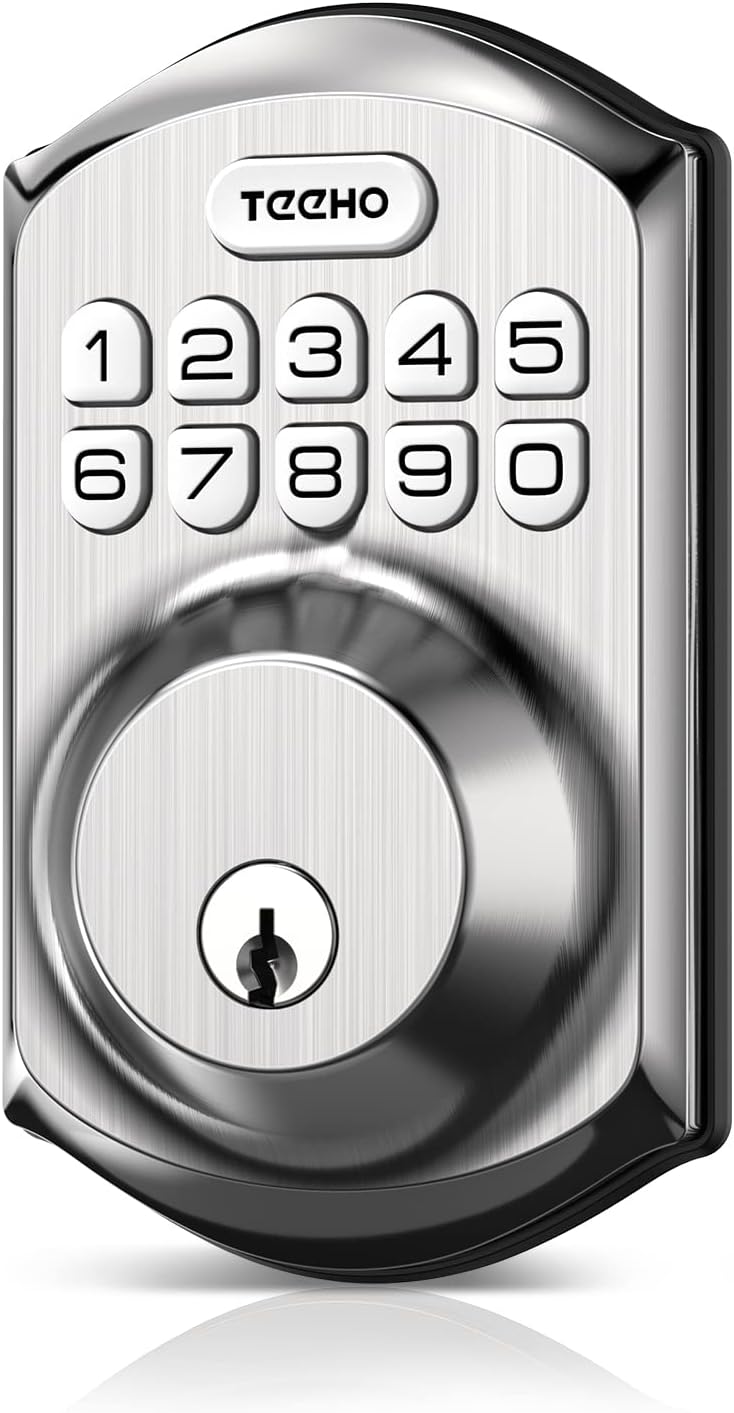
TEEHO TE001 Keyless Entry Door Lock with Keypad [click to view…]
This is the lock behind the “$47 upgrade” premise. It doesn’t have Wi-Fi. It doesn’t have fingerprint scanning. What it does have is the feature that matters most: auto-locking.
- Security Rating: Standard Residential
- Connectivity: Offline keypad (no Wi-Fi)
- User Codes: 20 customizable codes
- Standout Feature: Programmable auto-lock timer
- Price: ~$34
The Teeho won’t send you push notifications. But it will lock your door every single time it closes. For renters, side entries, or anyone who just wants to stop worrying about whether they locked up, this is the highest protection-per-dollar option available.
Mid-Tier: $70 – $150
Ultraloq U-Bolt Pro (Wi-Fi Edition) — $100 – $130
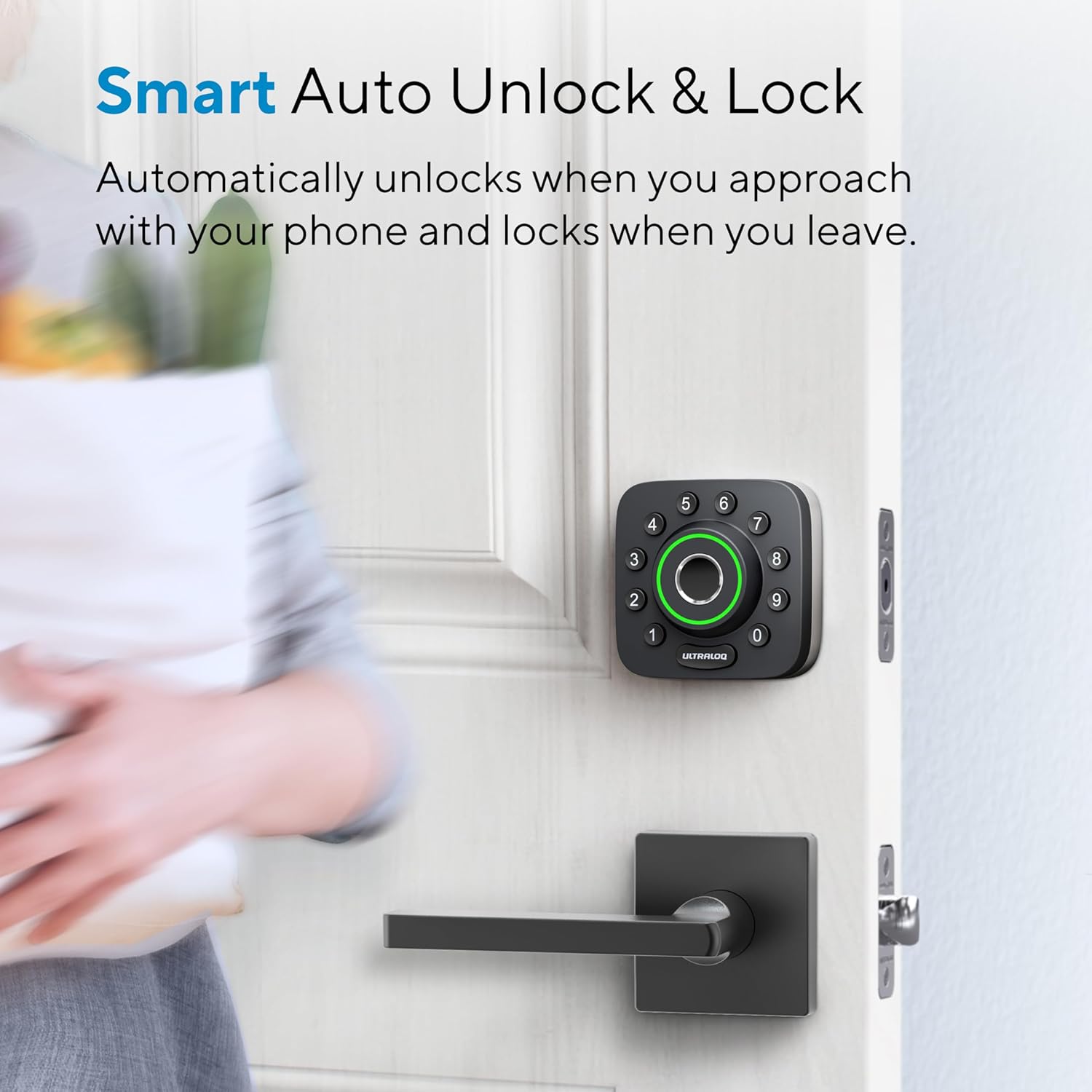
ULTRALOQ Smart Lock U-Bolt Pro [click to view…]
The U-Bolt Pro punches well above its price. It holds an ANSI/BHMA Grade 1 rating — the same tier as locks costing $300+ — and packs 6 to 8 different unlock methods.
- Security Rating: ANSI/BHMA Grade 1
- Connectivity: Built-in Wi-Fi
- Biometrics: 360-degree fingerprint sensor
- Standout Features: Anti-peep keypad, auto-unlock via geofencing (unlocks as you approach)
- Price: $100 – $130
The fingerprint sensor handles wet and aging fingers reliably, which is a common failure point on cheaper scanners. The geofencing auto-unlock is genuinely useful — walk up to your door with groceries in both hands and it opens for you.
Desloc D110 Plus — ~$90

DESLOC WiFi Smart Lock [click to view…]
A solid mid-range option with a built-in monochrome display screen and native Wi-Fi (no hub needed).
- Security Rating: Standard Residential
- Connectivity: Native 2.4GHz Wi-Fi
- Biometrics: 50-fingerprint capacity
- Standout Feature: Built-in display screen for status info
- Price: ~$90
A note on quality: Reviewers flagged that the Desloc’s internal hardware feels less robust than Schlage or Yale. The fingerprint scanner works but isn’t as consistently reliable as the Ultraloq. Good value, but the U-Bolt Pro is a stronger pick at a similar price.
Sifely Smart Deadbolt — ~$70
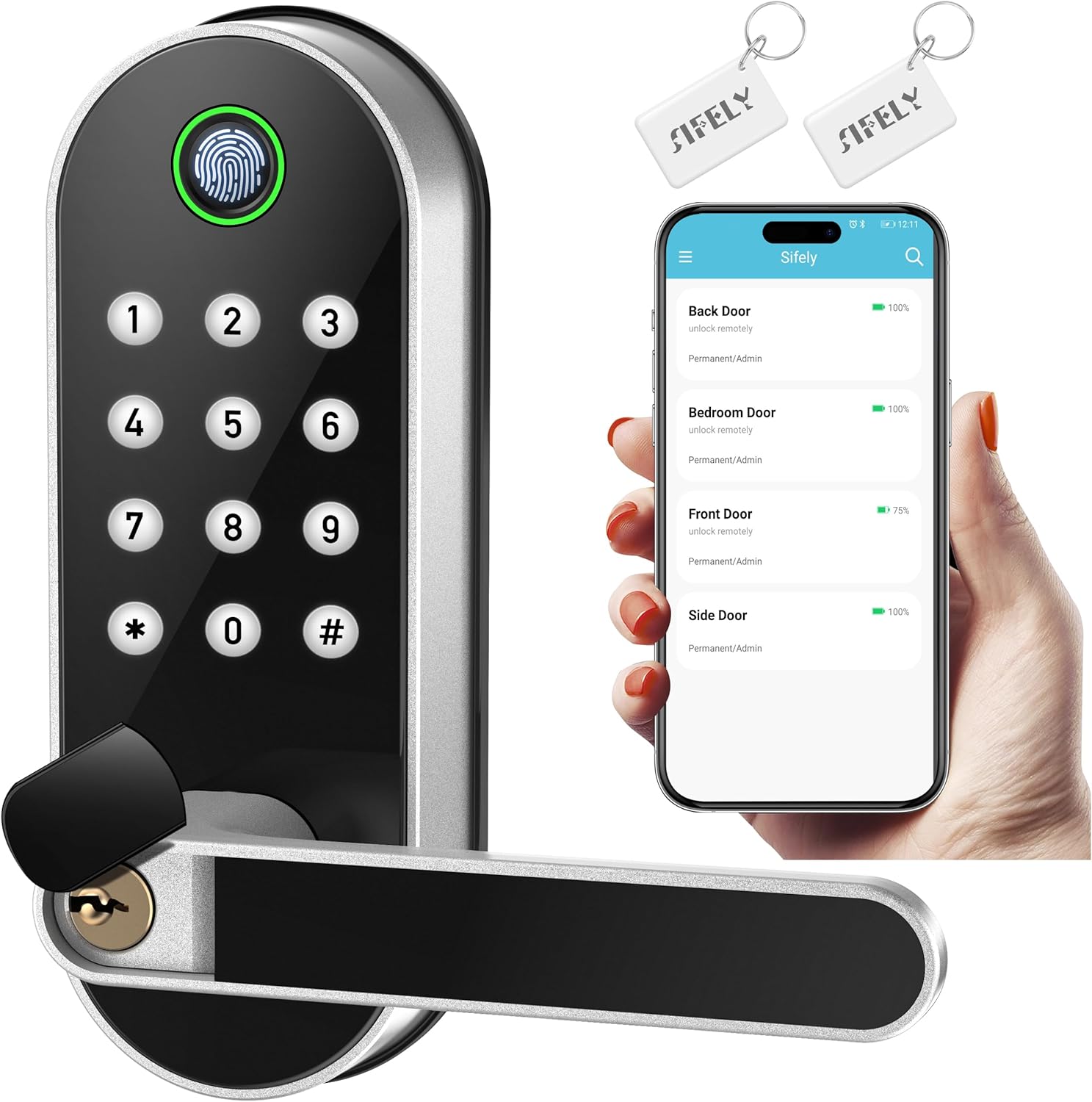
Fingerprint Smart Door Lock [click to view…]
Built for short-term rental hosts and landlords. The web-based management portal lets you generate timed access codes from anywhere.
- Security Rating: Standard Residential
- Connectivity: Bluetooth (Wi-Fi via optional gateway)
- Biometrics: Fingerprint + RFID fob support
- Standout Features: Timed codes for guests, lockout mode after failed attempts, 1+ year battery life on 4 AA batteries
- Price: ~$70
If you manage an Airbnb or rental property, Sifely’s code scheduling (activate at check-in, deactivate at check-out) eliminates the key exchange problem entirely.
Premium Tier: $180 – $350
Schlage Encode Plus — $319

Schlage BE499WB CAM 716 Encode Plus WiFi Deadbolt Smart Lock [click to view…]
Widely regarded as the gold standard for residential smart locks. The headline feature is Apple Home Key — tap your iPhone or Apple Watch against the lock and it opens instantly, like a contactless payment.
- Security Rating: ANSI/BHMA Grade 1
- Connectivity: Wi-Fi, Bluetooth, Thread, Apple HomeKit
- Key Features: Built-in tamper alarm, 100-code capacity, fingerprint-resistant touchscreen
- Standout Feature: Apple Home Key tap-to-unlock
- Price: $319
Thread compatibility means the lock communicates with other smart home devices even if your Wi-Fi goes down. For Apple households, this is the definitive choice — Grade 1 mechanical security with the smoothest unlock experience on the market.
Yale Assure Lock 2 — $188 – $230
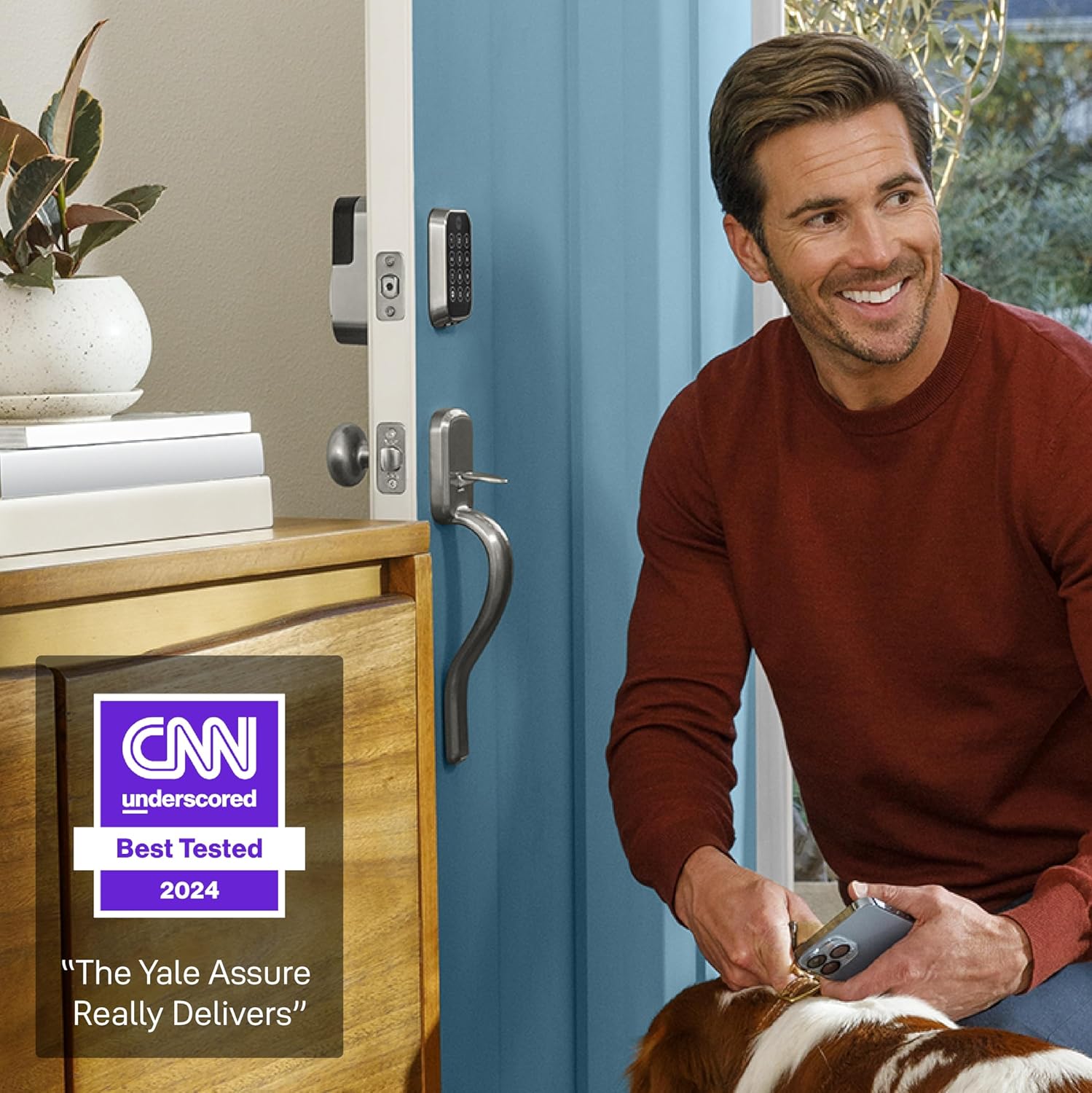
Yale Security Home Assure Lock 2 [click to view…]
Yale’s latest model is one of the slimmest smart locks available. The modular design lets you swap connectivity modules (Wi-Fi, Z-Wave, or Matter) without replacing the entire lock.
- Security Rating: ANSI/BHMA Grade 2
- Connectivity: Bluetooth, Wi-Fi (via module), Matter, Z-Wave
- Key Features: 250 unique user codes, interchangeable modules
- Standout Feature: Direct Airbnb app integration for automatic guest codes
- Price: $188 – $230
The Yale Assure 2 also comes in a key-free version — no physical keyhole at all. That makes it impossible to pick or bump, which are two of the most common methods used to bypass traditional locks.
Video Lock Tier: $250+
Eufy Video Smart Lock E330 — ~$250
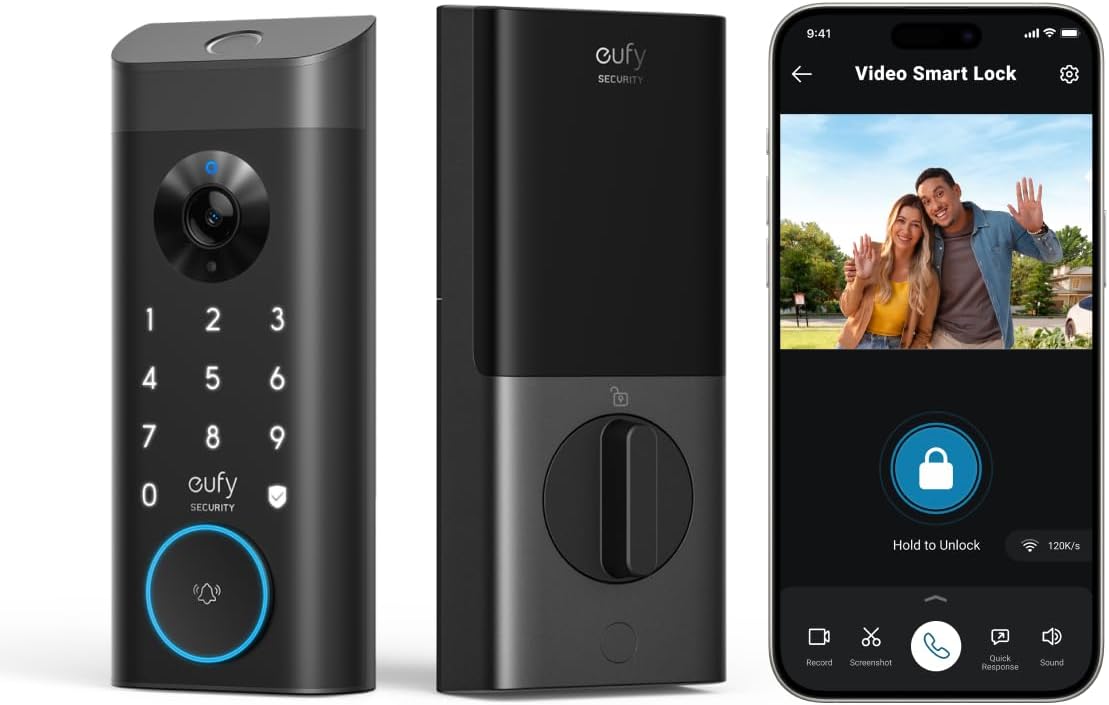
eufy Security Video Smart Lock E330 [click to view…]
Combines a 2K HD camera with a fingerprint-enabled deadbolt. One device replaces both your video doorbell and your deadbolt.
- Security Rating: Standard Residential
- Connectivity: Wi-Fi
- Biometrics: Fingerprint scanner
- Standout Feature: 2K video recording on every entry event
- Price: ~$250
When your child unlocks the door with their fingerprint at 3 PM, you get a notification and a 2K video clip confirming they walked in safely. That visual verification layer adds real peace of mind beyond what any keypad-only lock provides.
Full Comparison Table
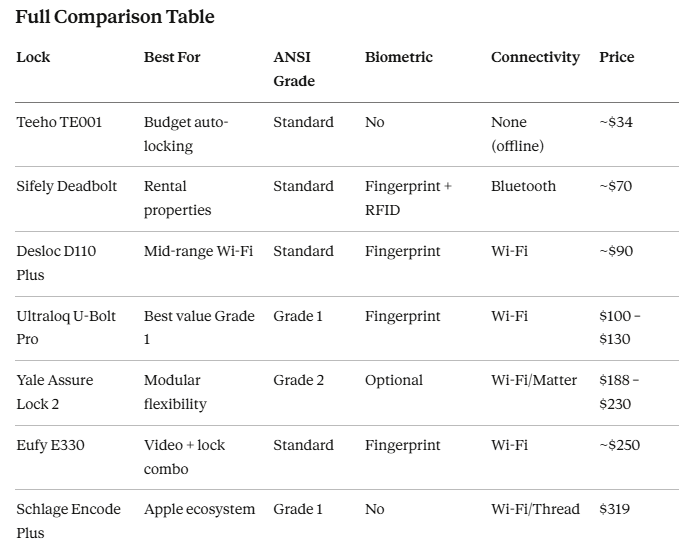
Installation Tips (Most Take Under 30 Minutes)
Smart locks are designed for DIY installation. A Phillips screwdriver is usually the only tool you need. But a few details make the difference between a smooth install and a frustrating one:
- Check your backset measurement. Standard US doors use either a 2-3/8″ or 2-3/4″ backset. Most smart locks adjust to fit both, but verify before purchasing.
- Align the bolt with the strike plate. If the bolt doesn’t slide cleanly into the strike plate, the auto-lock motor will strain and eventually burn out. Many negative reviews trace back to misaligned door frames — not defective locks.
- Use quality alkaline batteries. Rechargeable batteries run at 1.2V instead of 1.5V. That lower voltage can trigger premature “low battery” warnings or fail to provide enough torque for the motor.
- Test all unlock methods before closing the door. Keypad, fingerprint, app, physical key backup — confirm every method works while the door is open so you don’t lock yourself out.
Our Final Recommendations
If you just want your door locked every time it closes — get the Teeho TE001 (~$34). No Wi-Fi, no app, no complexity. Just reliable auto-locking that removes the biggest security gap in most homes.
If you have family members, contractors, or guests who need access — get the Ultraloq U-Bolt Pro ($100 – $130). Grade 1 security, reliable fingerprint scanning, and a full activity log of who entered and when.
If you’re invested in a smart home ecosystem — get the Schlage Encode Plus ($319). Grade 1 mechanical strength, Apple Home Key convenience, and Thread connectivity that works even when your Wi-Fi drops.
The best home security upgrade isn’t a $2,000 system that watches your door and hopes for the best. It’s a smart deadbolt that physically secures your door, eliminates key vulnerabilities, and costs less than a single month of alarm monitoring.
Lock the door. Skip the subscription.
Dora Decora is a biophilic interior design specialist and passionate blogger. With a deep commitment to integrating nature into living spaces, Dora specializes in creating environments that foster human-nature connections through thoughtful design elements. Her approach emphasizes sustainable materials, natural lighting, and organic patterns that enhance wellbeing and reduce environmental impact.
This post (https://homechroma.com/best-smart-locks-for-home) was originally published by Dora Decora on Home Chroma. As an Amazon Associates partner, we are compensated for all qualifying purchases.